
Here’s a comprehensive glossary of terms currently used in Mediacloud.ai, focused on the platform’s actual terminology and functionality.
AssetA video or image file uploaded into the system, typically raw footage or stills. | Batch UploadUploading multiple files at once via drag and drop, often per project or shoot. |
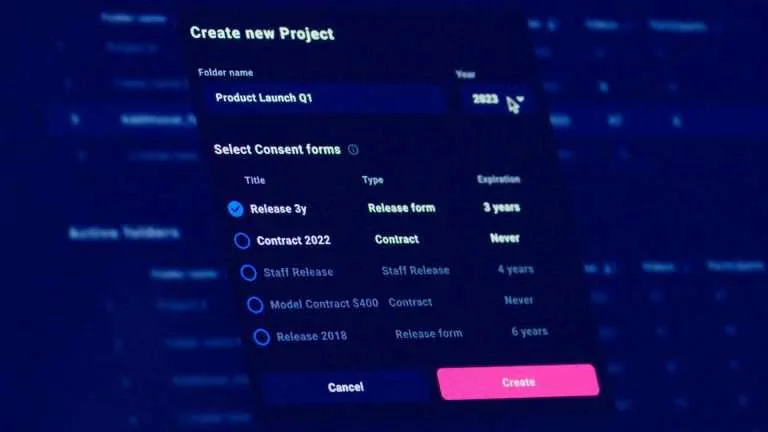
Consent FormA digital document participants sign to give permission to appear in footage. | Consent StatusShows whether a participant has signed, declined, or withdrawn consent. |
Digital SignatureElectronic confirmation (with timestamp) of a signed consent or contract form. | Encoding / TranscodingThe automatic process that converts uploaded video into viewable web formats. |
Folder StructureThe way assets are organised into folders and subfolders by project or theme. | Metadata Search BarThe tool for finding assets using queue metadata like filenames, participant names, notes, location or photographer name. |
Model ContractA broader legal agreement covering commercial rights, beyond basic consent. | ParticipantAny person appearing in your footage who must provide signed permission. |
PDF ReportA downloadable PDF summary of all signed forms linked to footage used for audits. | Preview ProxyA lightweight version of video files for fast playback and web preview. |
Pending ProjectNon-public folder used to upload asset for approval, typically tied to a specific shoot or campaign. | QR Code RegistrationA workflow that lets participants scan a QR code to sign digital consent on location. |
Recycle (Content Recycling)Reusing existing b-roll footage in new content – enabled by easy access and search. | Rights ManagementTools for controlling how and where media is used based on legal permissions. |
TagA keyword or label (e.g. "Event 2024") used to make files easier to find. | Upload LinkA secure link sent to external collaborators so they can upload without logging in. |
User RolesDefined access levels (e.g. Admin, Editor) that control what users can see and do. | Withdrawal RequestA GDPR-based request to remove footage or personal data from the archive. |