New to Mediacloud.ai or need a refresher? Here are a few quick answers to the most common questions about getting your footage in, organised, and ready to reuse.
Uploading & File Support
What file types can I upload?
Video: You can upload video files such as MP4 (H.264/H.265), MOV. These work best for fast playback and compatibility across devices. We support both 8bit and 10BIT formats. Our YouTube channel has specific tutorials on encoding here
Stills/Photos: We support high-quality TiFF, PNG and JPEG formats. Our YouTube channel has specific tutorials on encoding here
Can I upload large files?
Yes, but larger files may take time to process. After upload, multiple proxy versions are generated for quick preview or download.
How do I upload multiple files?
You can drag and drop batches of files into the uploader. You can also create folders first to keep them organised.
Browsing & Playback
How can I preview videos in Mediacloud.ai?
Once uploaded, videos are transcoded into preview proxies. You can scrub through videos and play them in-browser using the built-in player.
Can I search for specific footage?
Yes. Use the search bar to look for filenames, tags, and participant names (if tagged during upload or registration). You can also sort and search using tags and folders.
How do I tag footage?
You can add tags during upload or edit them later from the asset view. Tags help you find content faster.
How do I create tags?
Tags are individual for each company using Mediacloud.ai but tags are universal across all user account within that company. We also recommend keeping limited number of tags to avoid duplicates.
Consent & Legal
How do I collect consent on set?
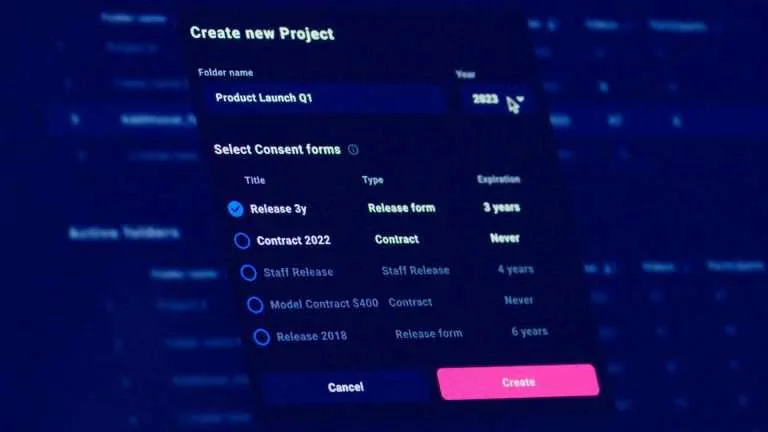
Use the built-in QR code registration on set. Participants scan the code and sign a digital form. The signed form is linked to their footage.
Where can I find signed consent forms?
All forms are stored securely and linked to each person's footage. You can access them from the asset page or download reports.
What's the difference between consent and a model contract?
A consent form grants permission to be filmed; a model contract covers commercial usage rights. Mediacloud.ai supports both templates.
How long is data stored?
All consent forms require mandatory expiration date from 1 to 8 years. Our model contracts also have 1 to 8 years and "infinite". Admins can configure our time-based deletion or manually archive/remove content when no longer needed.
Can participants request deletion of their footage?
Yes. Under GDPR, individuals have the right to request erasure. You can track and process these requests by using the participant profile that contains complete list of assets featuring this specific person.
Organising & Sharing
Can I organise content into folders or projects?
Yes. You can create folders and subfolders for each shoot, department, or campaign. Assets can be tagged and moved between folders.
How do I share footage with my team?
Invite users to your workspace with role-based access, or share direct links to folders or files (with optional expiry or download control).
Can external freelancers upload footage?
Yes. You can send them a secure QR code or upload link. No login required.
Language Support
Which languages does Mediacloud.ai support?
The platform interface is currently available in English. However, the digital consent forms and model contracts can be customised and uploaded in multiple languages, depending on your organisation's needs.
Can participants sign forms in their local language?
Yes. You can provide consent forms in English, Spanish, French, Italian, Danish or German by uploading your own translated templates. This ensures participants fully understand what they're signing, helping meet GDPR requirements for informed consent.
Can we run multilingual projects?
Yes. You can store multiple versions of consent and model contracts (e.g. English, French, Danish), and assign the appropriate one depending on the project or shoot location.
Is UI localisation available?
Currently, the admin and user interface is English-only.